Built on GitHub Copilot SDK

Your Copilot CLI,
visualized.

Copilot CLI is powerful — but sessions pile up, context gets lost across tasks, and you're tied to the desk. Console gives you visual session management, per-session context control, cross-session search, and mobile access. Move beyond chat to effectively managing your work.
Copilot Console main interface

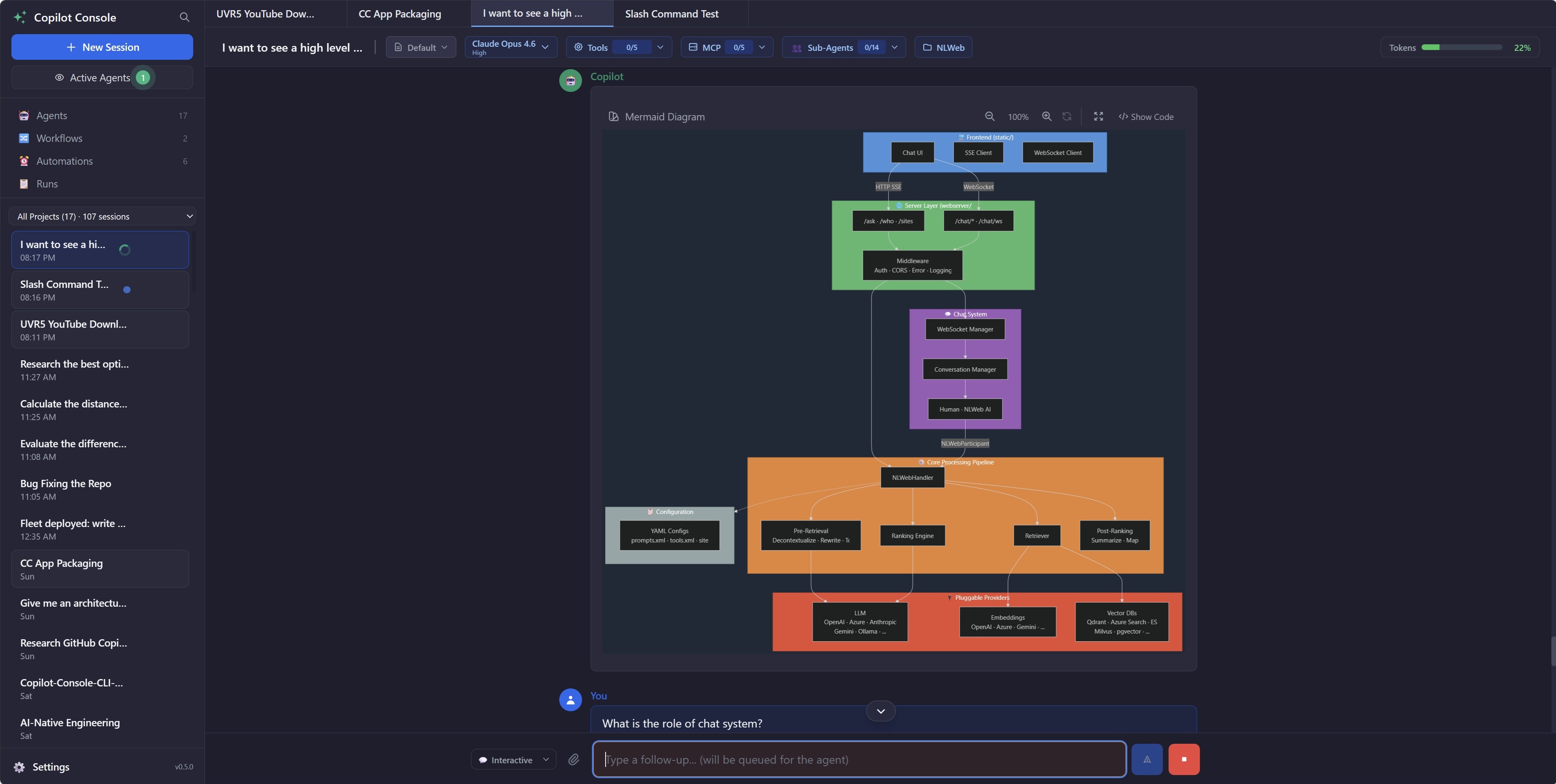
Every Copilot CLI session, auto-discovered in Console. Every finish, notified. Continue from CLI, Desktop, or Mobile.
🖥️ Core Experience

Multi-session visual management

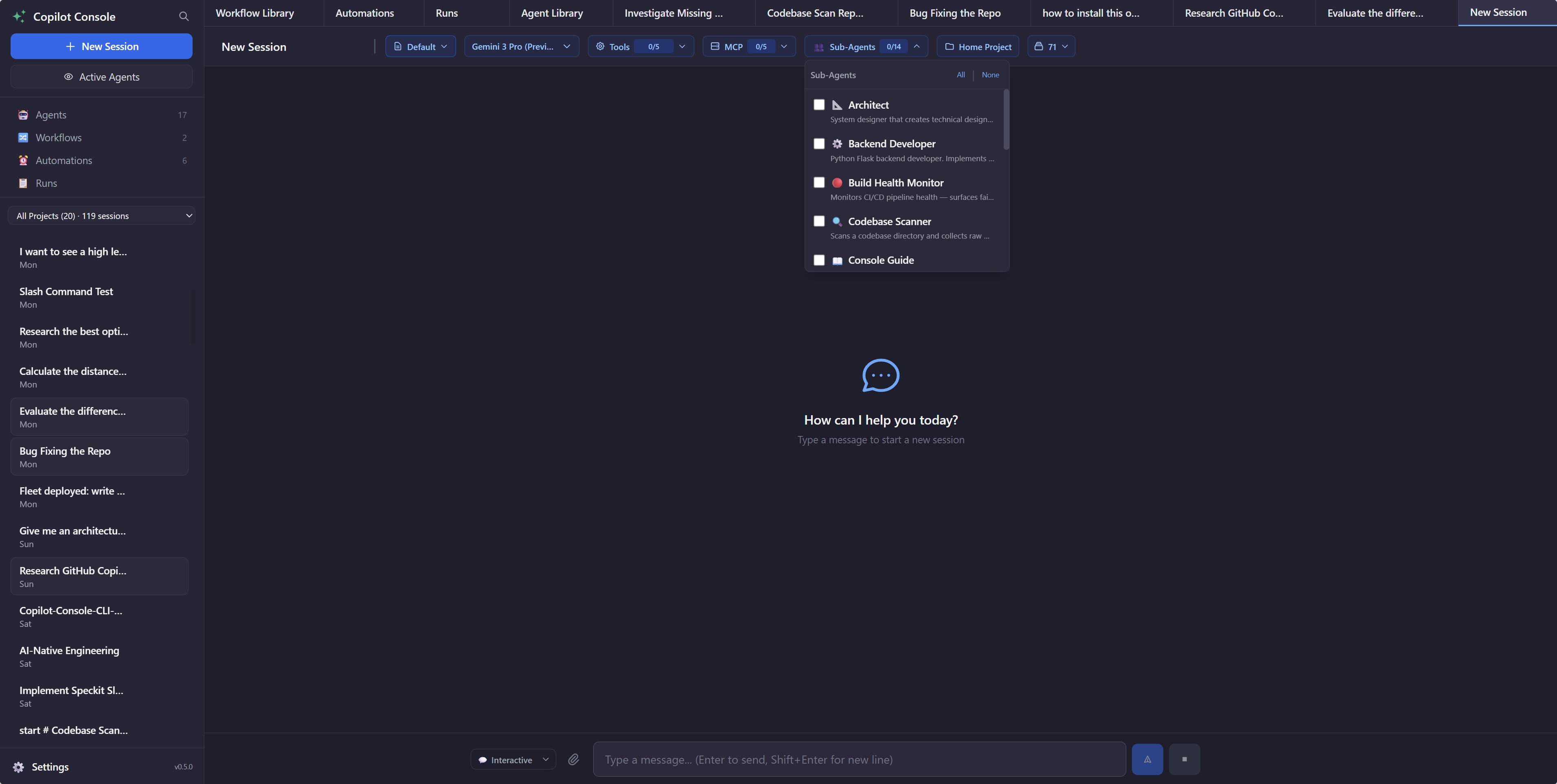
Run multiple Copilot CLI sessions simultaneously in a tabbed interface. Each session gets its own system prompt, model, tools, MCP servers, and working directory. Monitor all agents at a glance — no more juggling terminals.

  • Per-session context isolation — model, tools, CWD, system prompt
  • Unread indicators across parallel sessions
  • Switch models, enqueue messages, attach files & paste images, set modes
  • Rich rendering — Markdown, syntax highlighting, Mermaid diagrams, reasoning steps
Multi-session management with agent library and session tabs
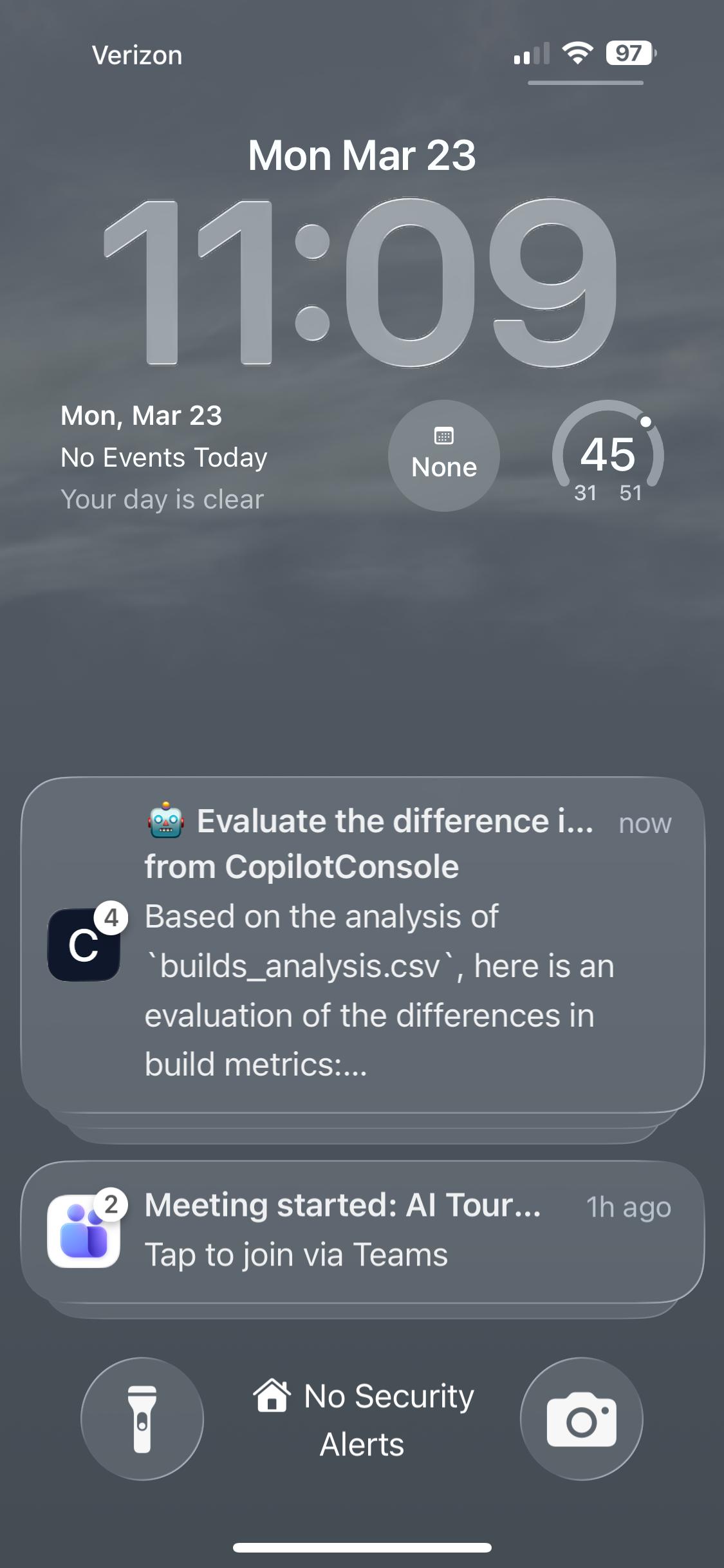
Push notification on lock screen
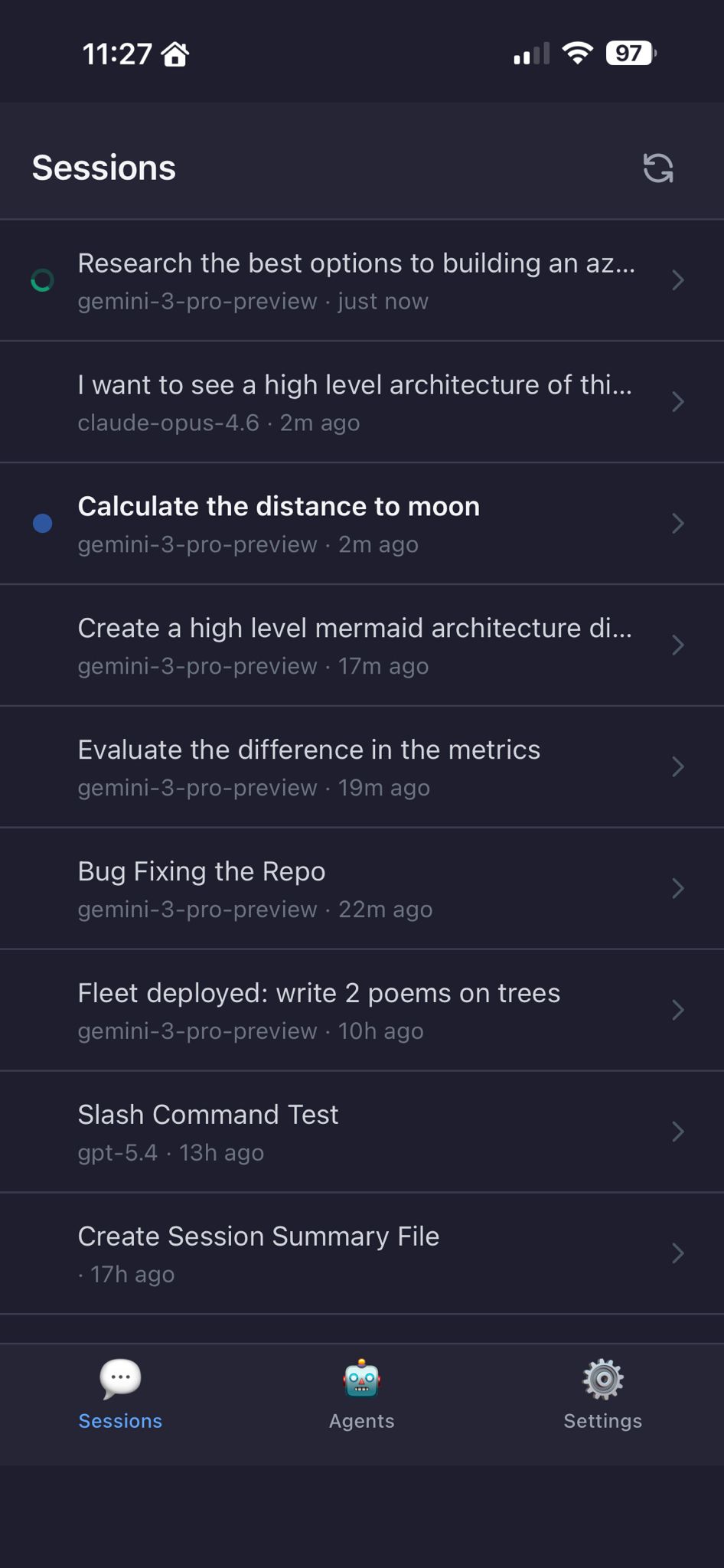
Session list on mobile
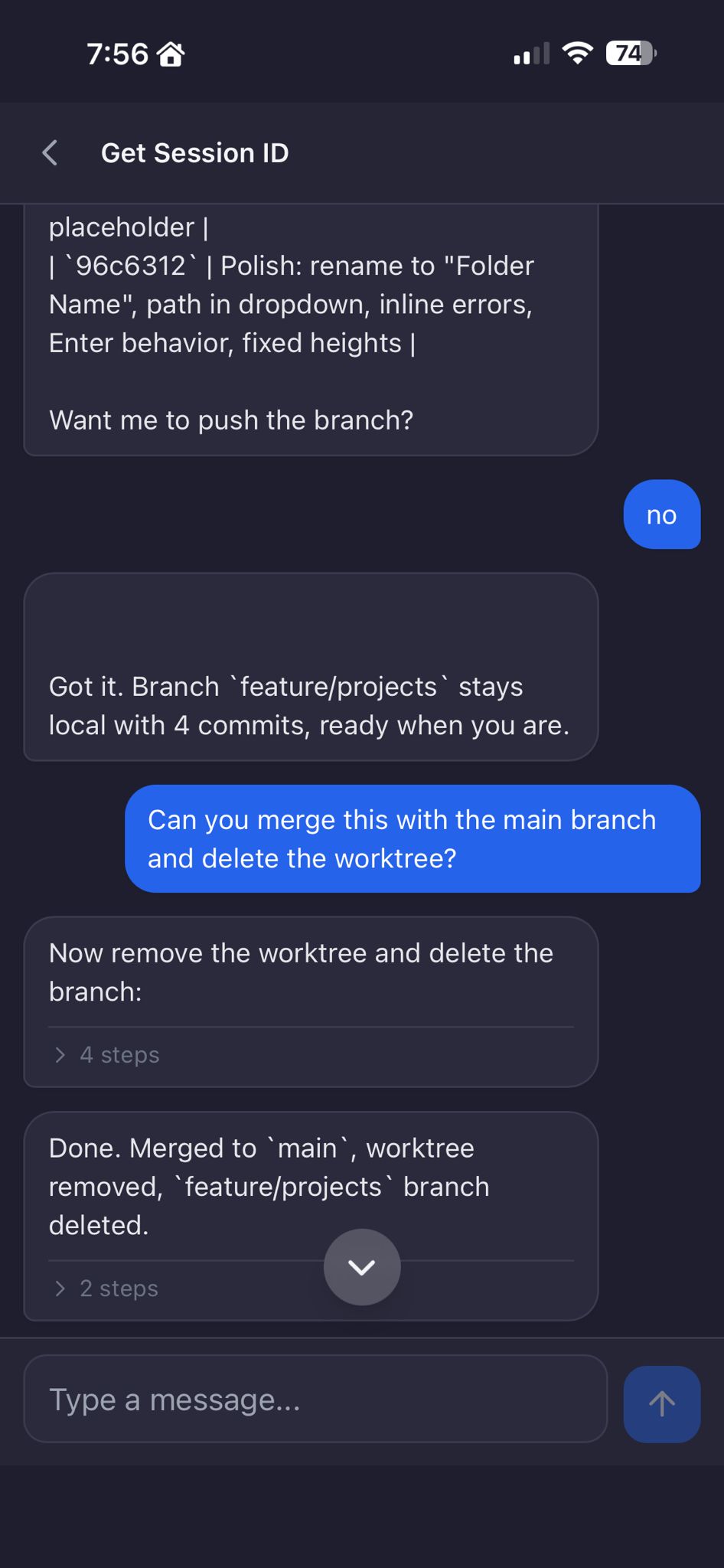
Chat conversation on mobile
📱 Never Wait at a Terminal

Mobile notifications & continuity

Get push notifications on your phone when any agent finishes. Continue the conversation from mobile — reply or review tasks on the go. Install as a PWA for a native-like experience.

$ copilot-console --expose --no-sleep
# Scan QR from Settings, done.

Mobile session access and notifications work for every session — terminal or Console. Tap a notification, continues from where the agent left off.

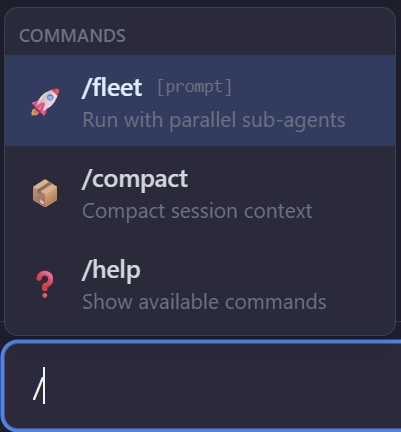
Slash command palette with /fleet, /compact, /help
Inline /fleet chip in input box
Type / to Explore

Slash commands & fleet

Type / to open the command palette. Pick a command, get an inline chip with contextual hints. No flags to memorize, no syntax to look up.

  • /fleet — fire parallel sub-agents, watch multiple AI streams simultaneously
  • /compact — compress session context to free up the conversation window
  • /help — quick reference for available commands and features
💬 Interactive Q&A

Agents ask you when they need to

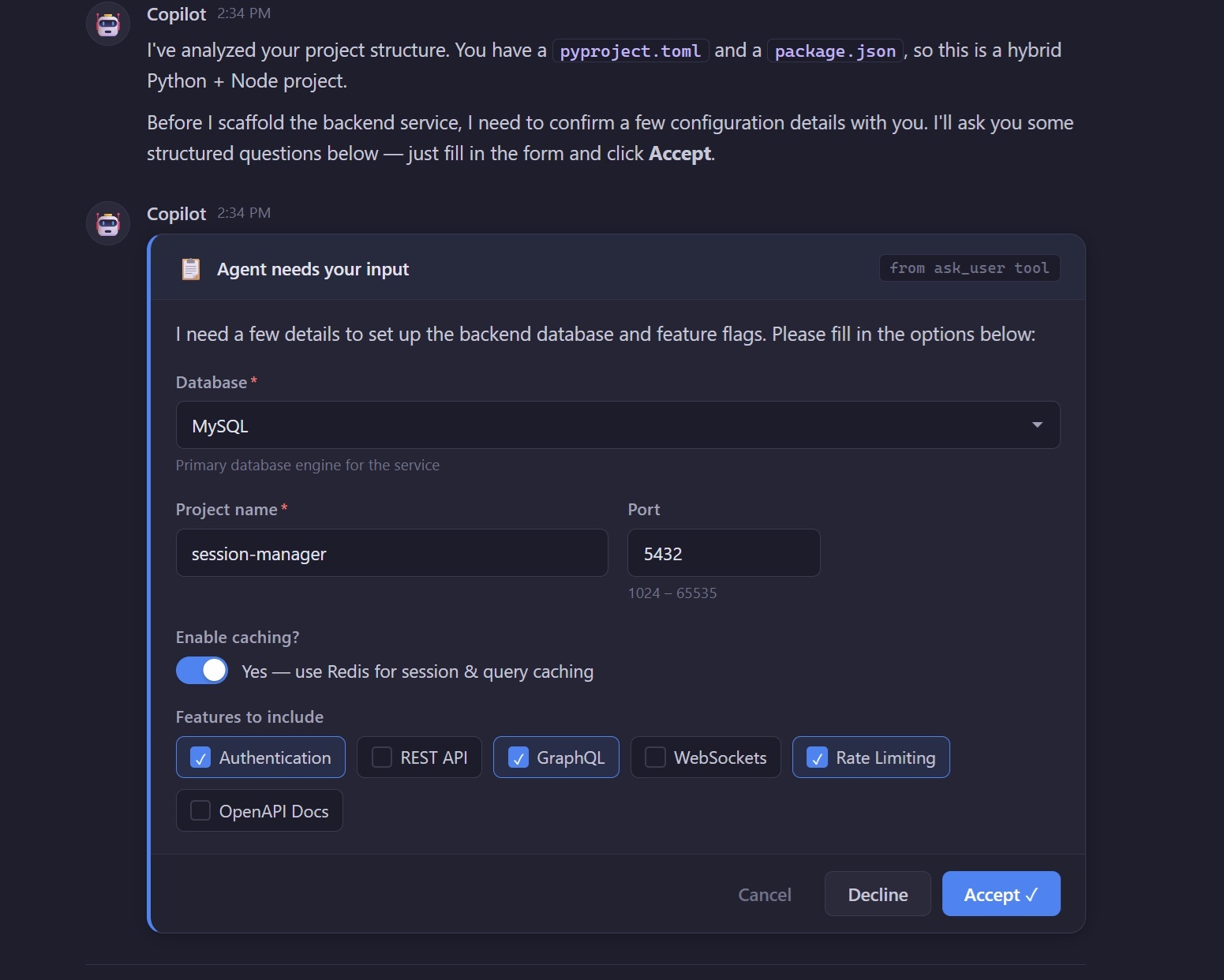
When an agent needs clarification, it asks a structured question right in the conversation. Works seamlessly on desktop and mobile.

  • Structured elicitation — agents ask targeted questions mid-conversation
  • Works on desktop & mobile — answer from anywhere
  • Resilient — pending questions survive connection drops on mobile
Agent asking the user a structured question mid-conversation
📂 Organized by Project

Project facilitation

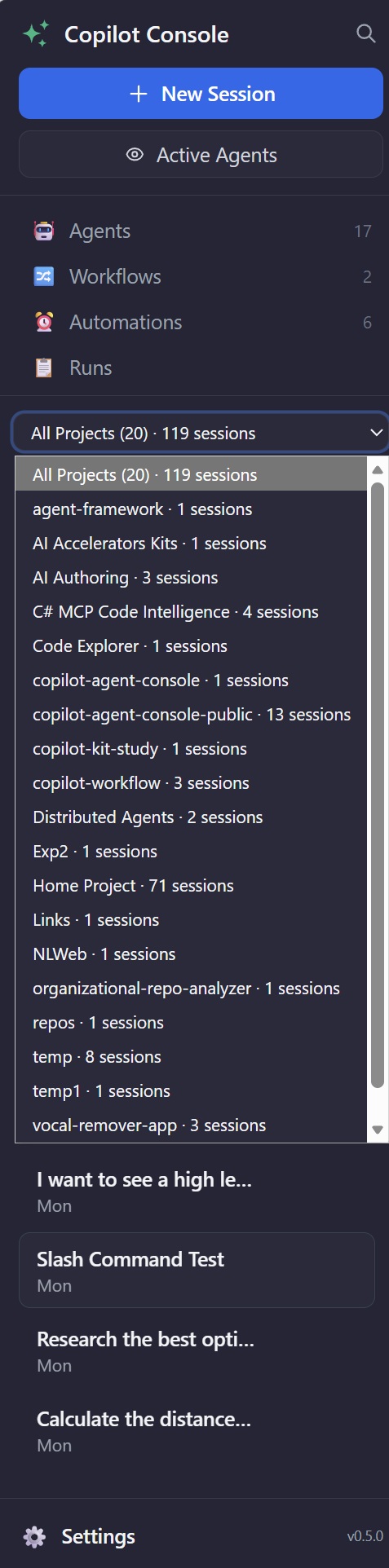
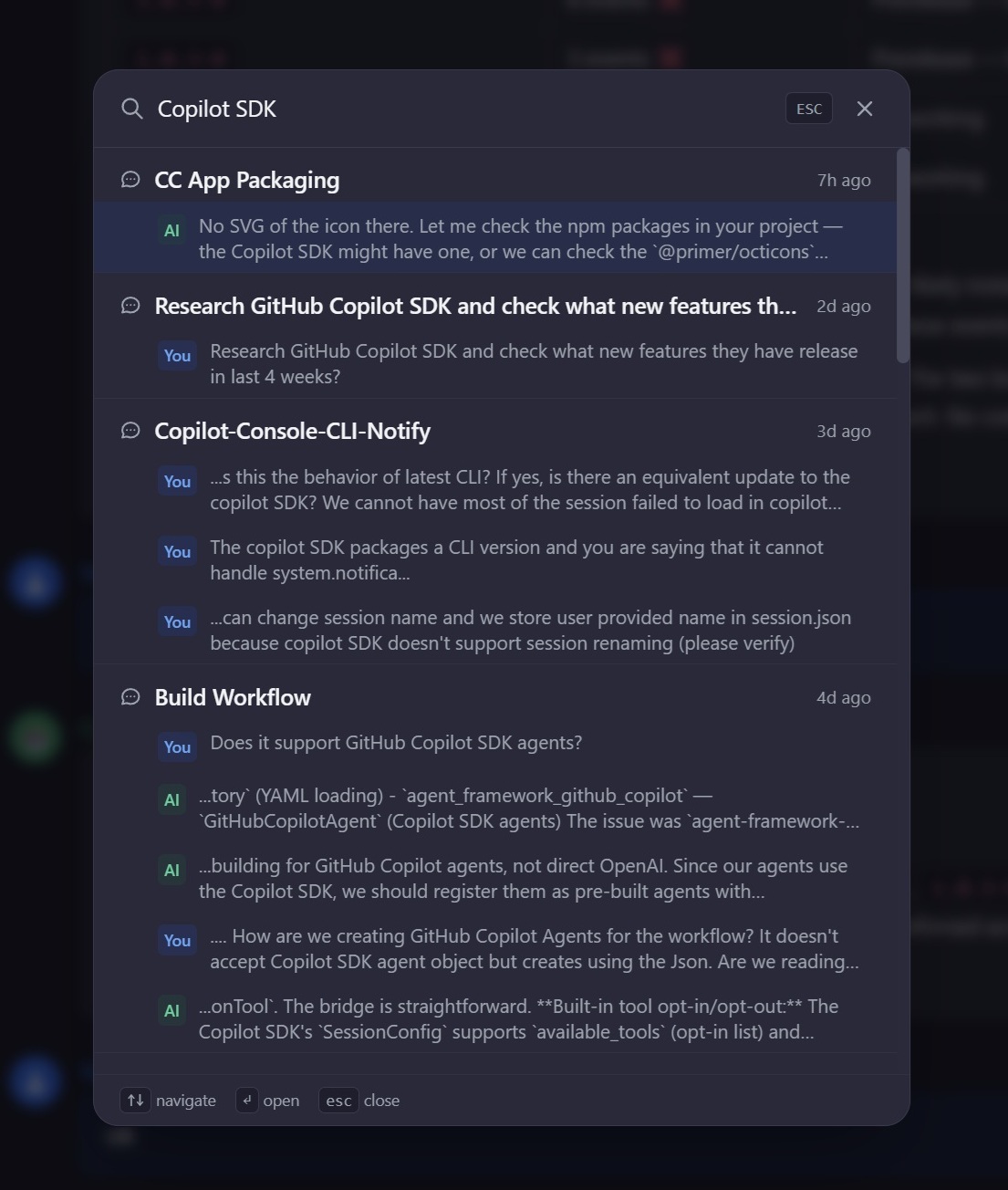
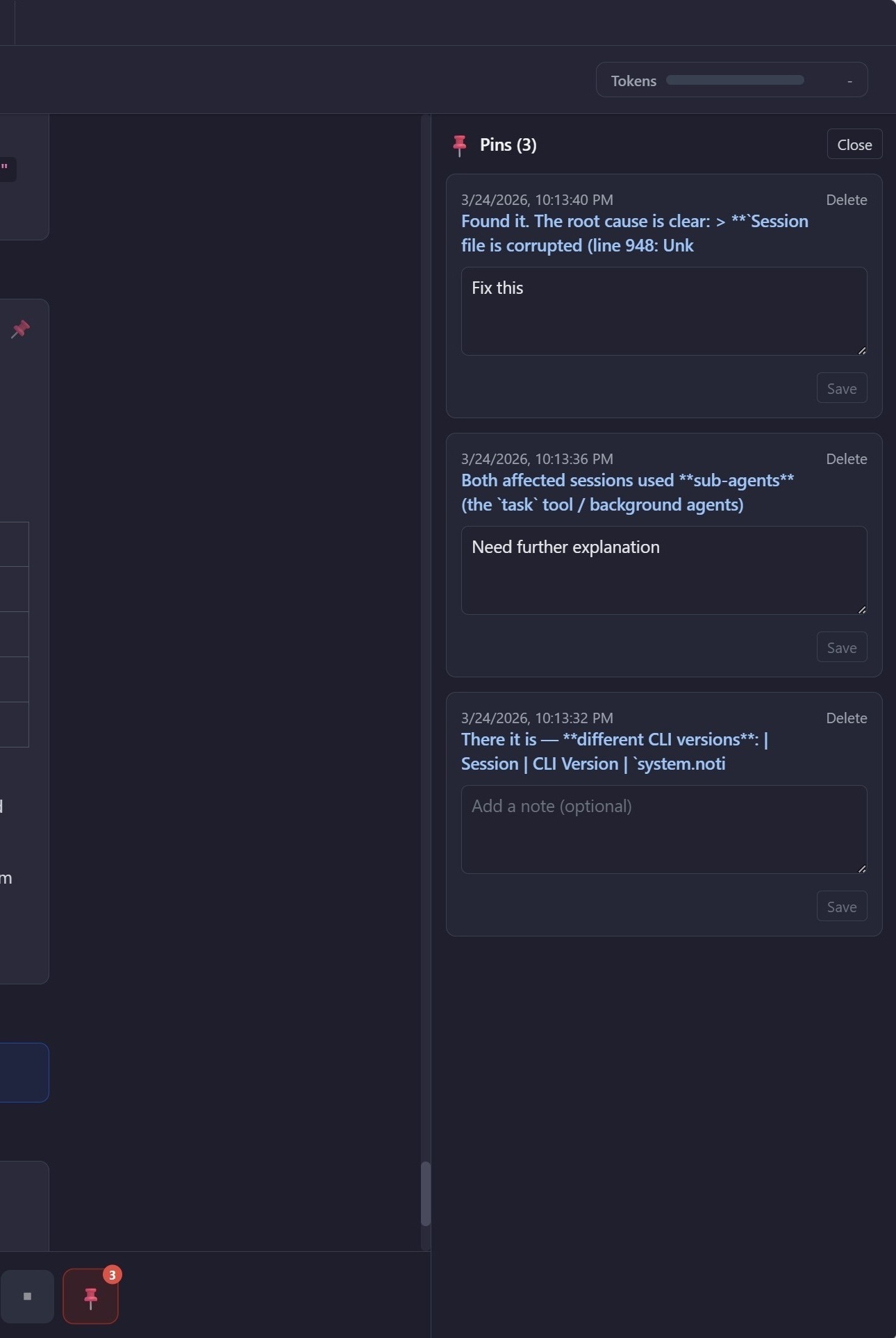
Sessions automatically group by project folder. Search across all conversations with keyword highlighting. Pin important messages for quick reference. Your AI history, organized automatically.

Project-based session organization
Cross-session search with keyword highlighting
Pinned messages panel

And much more

Everything you need to orchestrate AI agents at scale.

Automations

Schedule agent runs on cron. Runs dashboard for all executions — continue any run's conversation or watch a live agent in real-time.

🤖

Agent Library

Reusable agent configs with custom prompts, models, tools, and MCP servers. Launch sessions from any agent with one click.

🤝

Agent Teams

Multi-agent delegation — compose agents into teams. Each sub-agent runs in its own context with specialized tools.

📎

Files & Images

Drag-and-drop files, paste images, attach context to any message. Give your agent the visual and textual context it needs.

🔌

MCP & Custom Tools

Extend with plugins — global and per-session MCP server management. Drop Python functions as custom tools. Built-in Tool Builder agent.

🌐

Web Browsing

Autonomous web navigation via bundled Playwright MCP. Fill forms, extract data, take screenshots — all through natural language.

🔔

Desktop Notifications

Know when agents finish. Native desktop notifications so you never miss a completed task, even when Console is in the background.

📂

Open With

Open project folders in VS Code, Terminal, or Explorer with one click. Jump straight from Console into your favorite editor.

🔀

Workflows (experimental)

Multi-agent YAML pipelines — chain agents into deterministic steps. Each step's output flows to the next with live event streaming.

One command to install

Works on Windows, macOS/Linux—checks prerequisites, installs dependencies, and you’re all set.

# Install (or upgrade)
irm https://raw.githubusercontent.com/sanchar10/copilot-console/main/scripts/install.ps1 | iex

# Start
copilot-console

# With mobile companion
copilot-console --expose --no-sleep